

Billing and payments
Pay from an emailed link
Pay an invoice straight from our email, without signing in.
Step 1: Tap Pay in the invoice email
It opens a pay page for that invoice. You don't need to sign in.
The page shows the invoice, what it is for and the amount due.
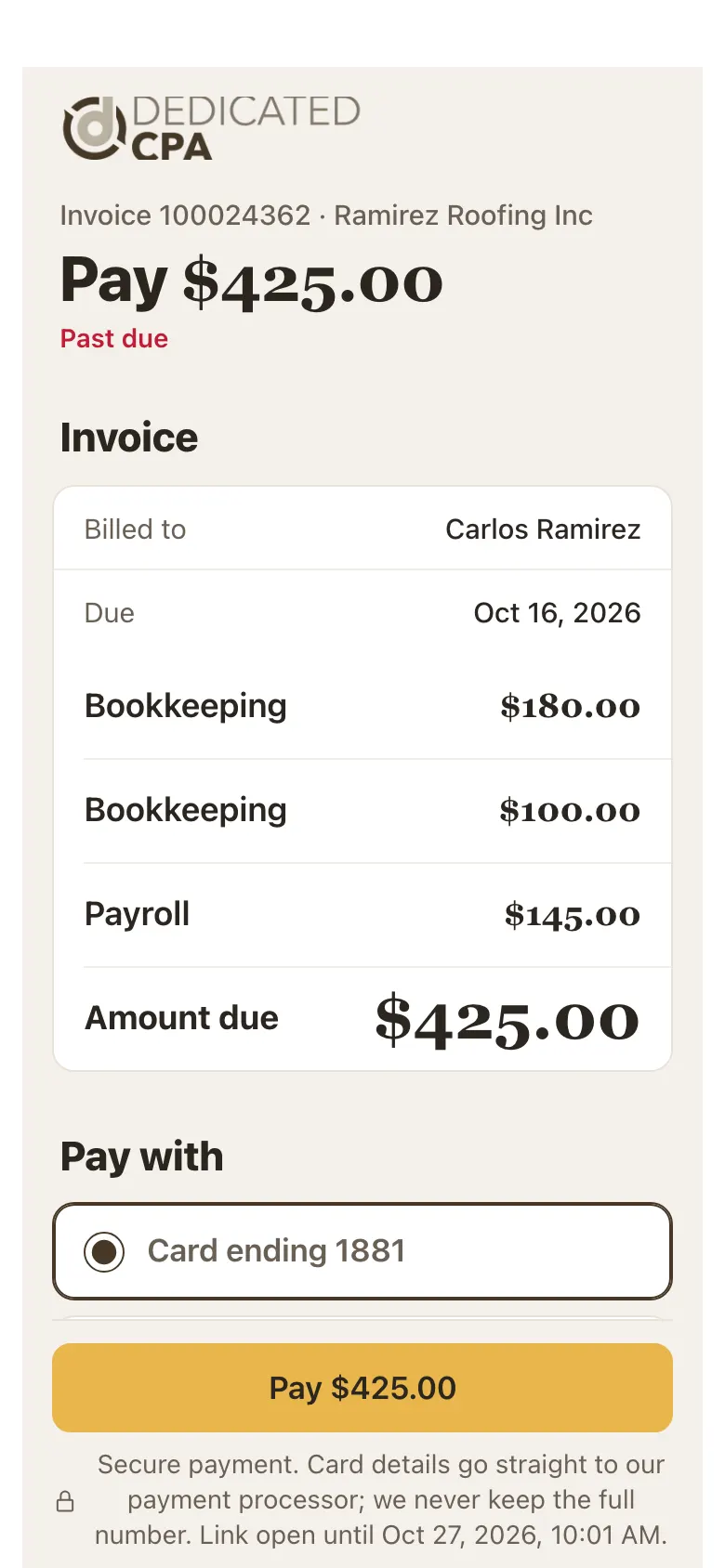
The pay page from the email. Step 2: Choose how to pay, then tap Pay
Under Pay with, pick a saved card or New card.
Tap the gold Pay button.
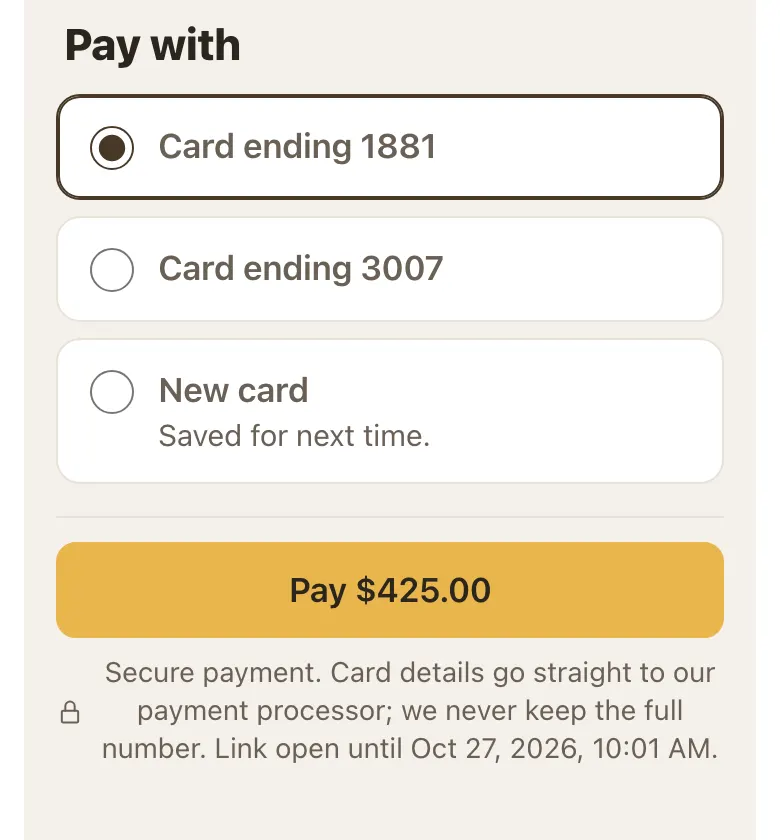
Pick a card and tap Pay. Step 3: Wait for the confirmation
Keep the page open until it says the payment went through. Your receipt comes by email.
Good to know
- The link is open for a limited time. The page shows until when.
- It won't take payment before the invoice date, or for an invoice that is already paid.
- Link not working? Sign in to the portal and pay from Billing, or call us.
- This page is in English for now.
Screens show a sample account with made-up details.