

Billing and payments
Choose the card for a monthly service
Pick the Main card and the Backup card we use for a monthly service.
Step 1: Open Billing, then Monthly
The top card shows your next invoice date and amount.
Below it, each monthly service shows its rate and when it is due.
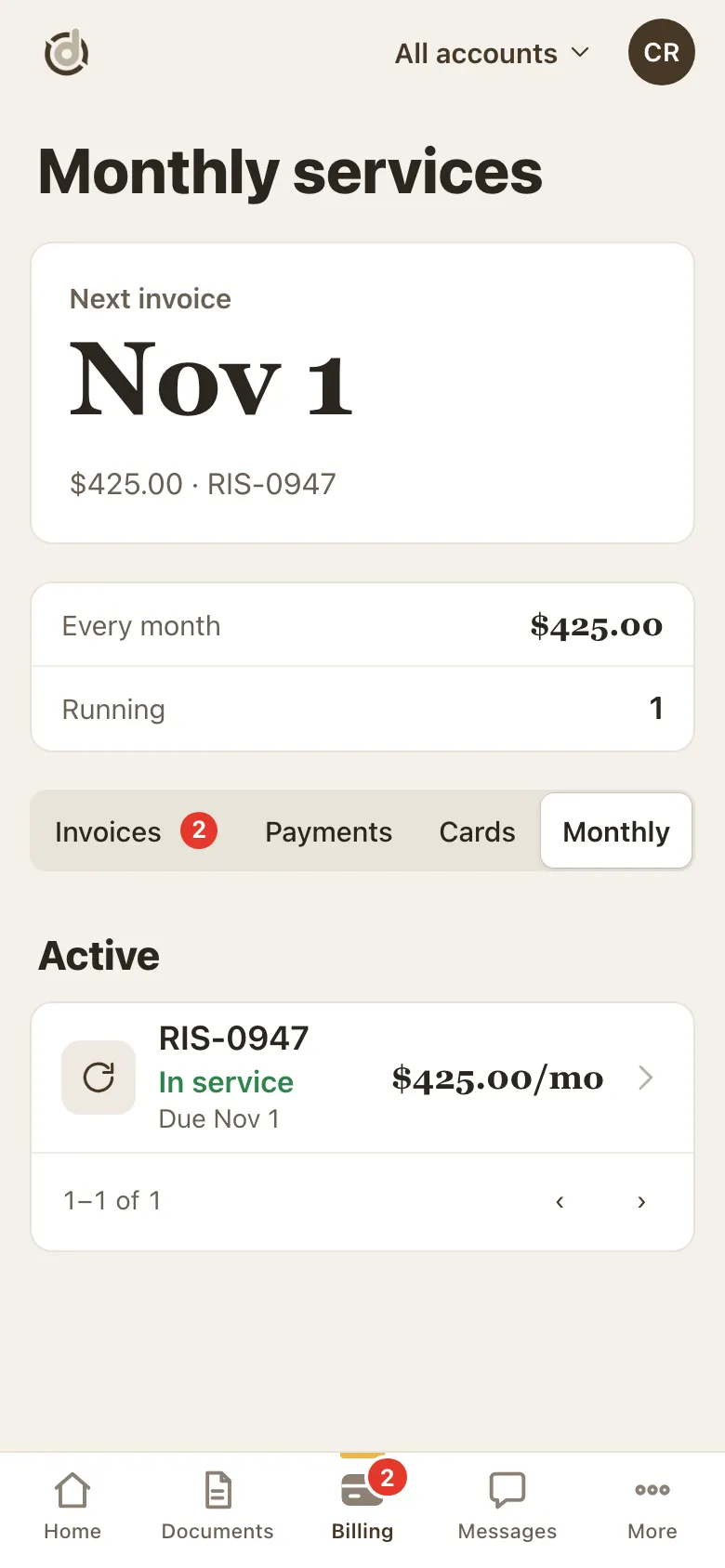
Monthly: your next invoice and your services. Step 2: Tap the service
The service page shows the next invoice, then Cards.
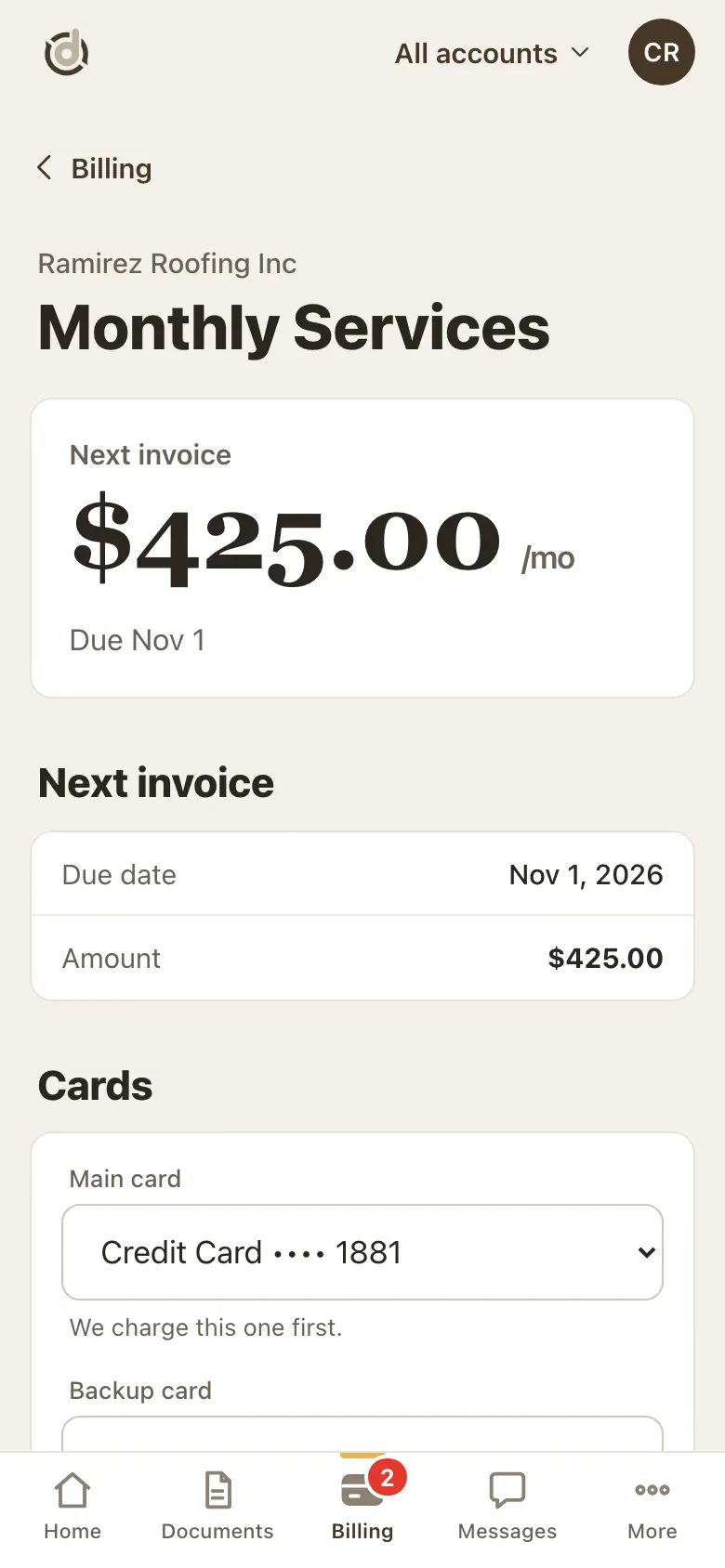
A monthly service. Step 3: Pick the Main card and the Backup card
Main card: we charge this one first.
Backup card: we charge this one if the main card fails. You can also choose No backup card.
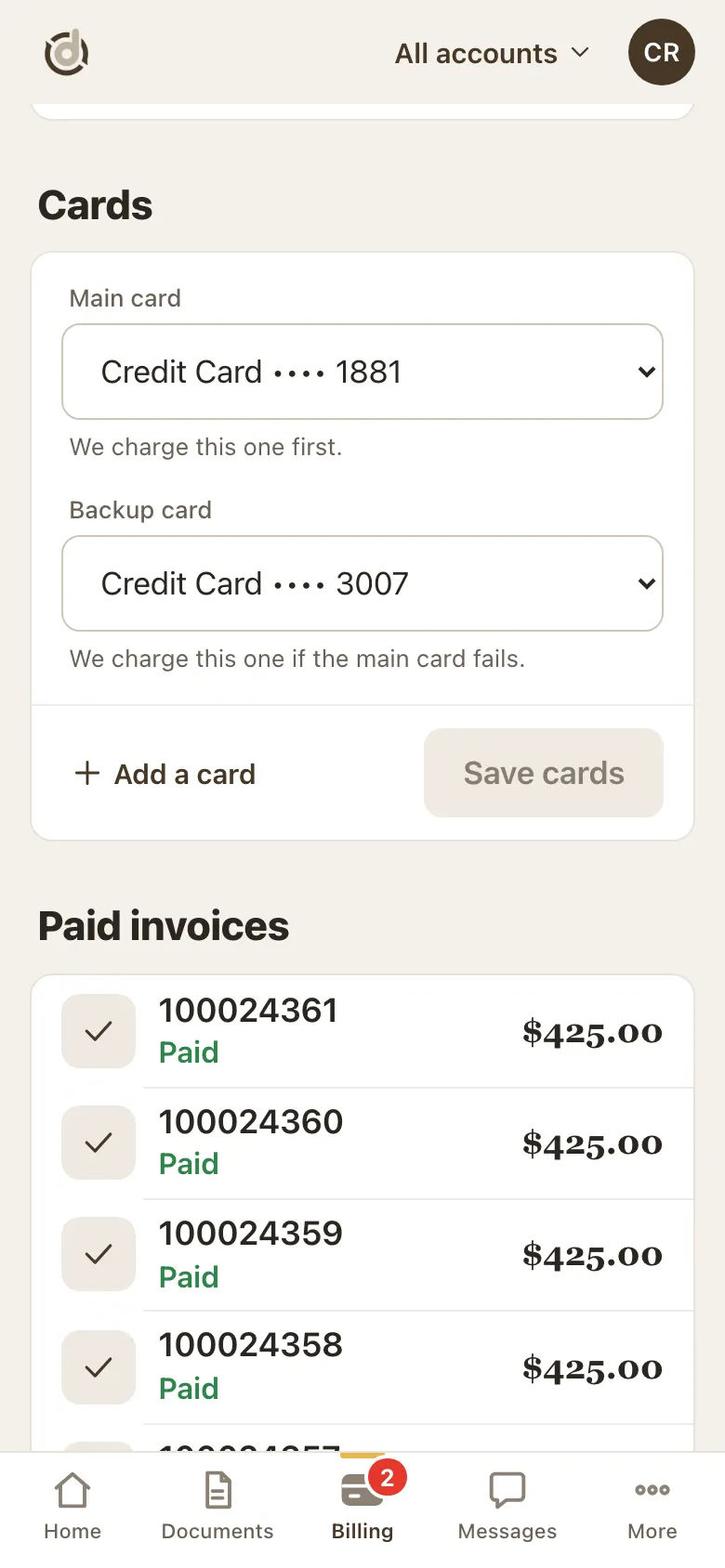
Main card, Backup card, and Save cards. Step 4: Tap Save cards
Save cards turns on once you change something. After saving you see Saved.
Need a card that is not listed? Tap Add a card right there.
Good to know
- The Main and Backup cards must be different cards.
- Have only two cards and want to swap them? Add a third card first, or call us.
- A service needs a Main card before it can have a Backup card.
- You can swap a Backup card for another one, but not remove it from the service here.
Screens show a sample account with made-up details.