

Your account
One-time services
See the one-time work we are doing for you and where it stands.
Step 1: Open More, then One-time services
You can also tap Services on Home.
Use the filters: All, Waiting on you, Working, Done.
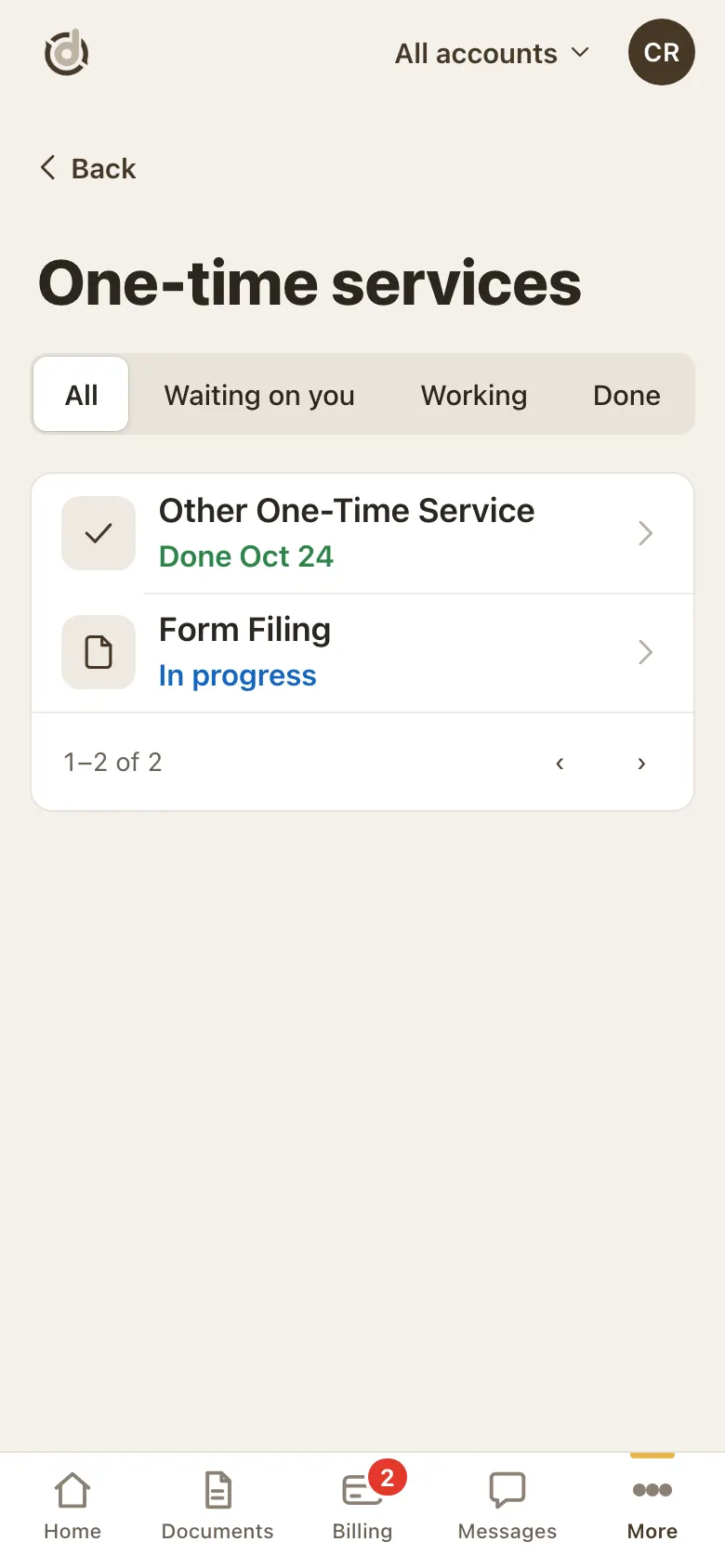
Your one-time services. Step 2: Read the status word
Each service has one status word, for example In progress, Waiting on you, Done (with the date) or Paid.
Step 3: Open a service
You see what we are doing, the charges and the total.
When it is your turn, a Your turn card shows what we need, with one button to do it.
Tap Ask a question if something is unclear.
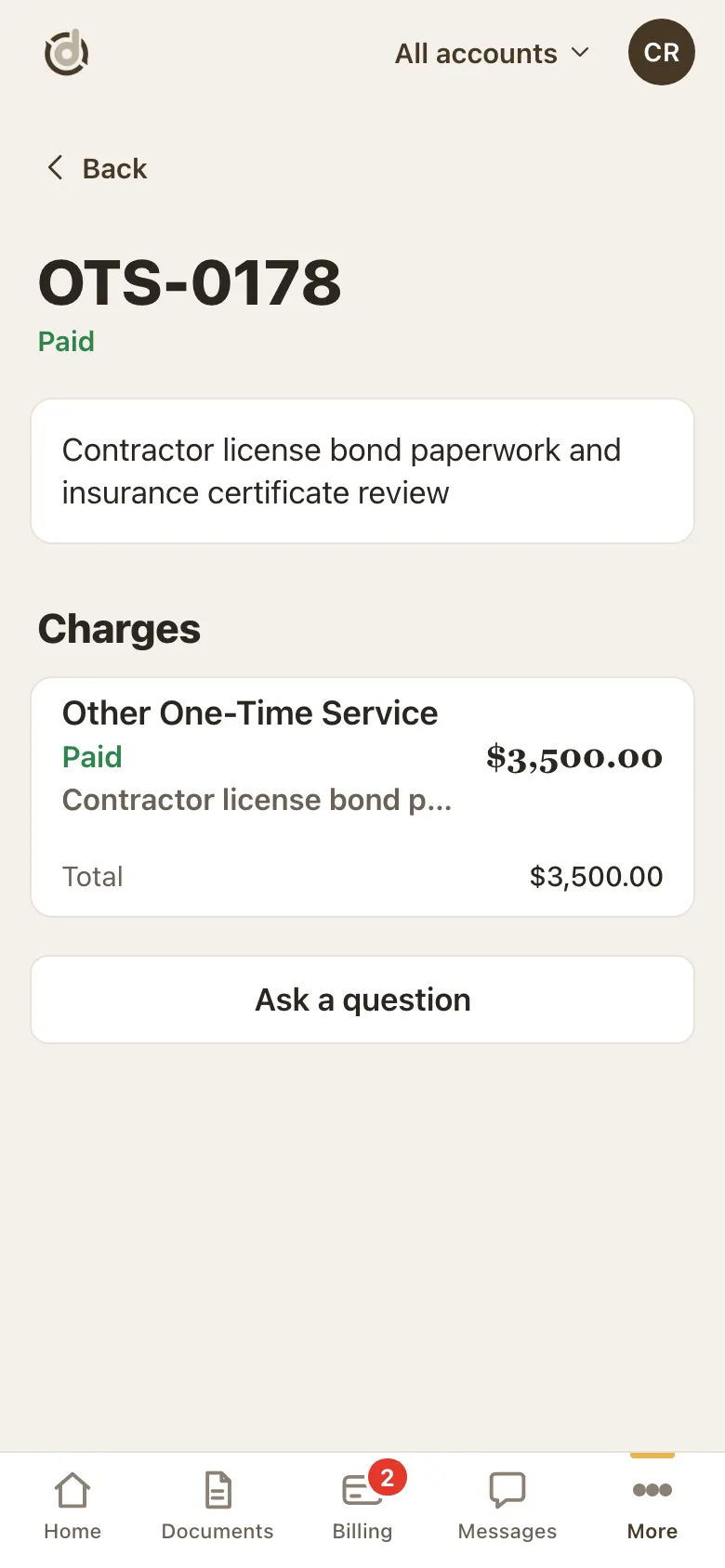
A one-time service.
Good to know
- Anything waiting on you here also shows under Needs you on Home.
Screens show a sample account with made-up details.