

Documents and tax returns
Follow your tax return
See where each return stands, and get it once it is filed.
Step 1: Check In progress on Home
Each return shows with a status word in plain language, like "We are on it".
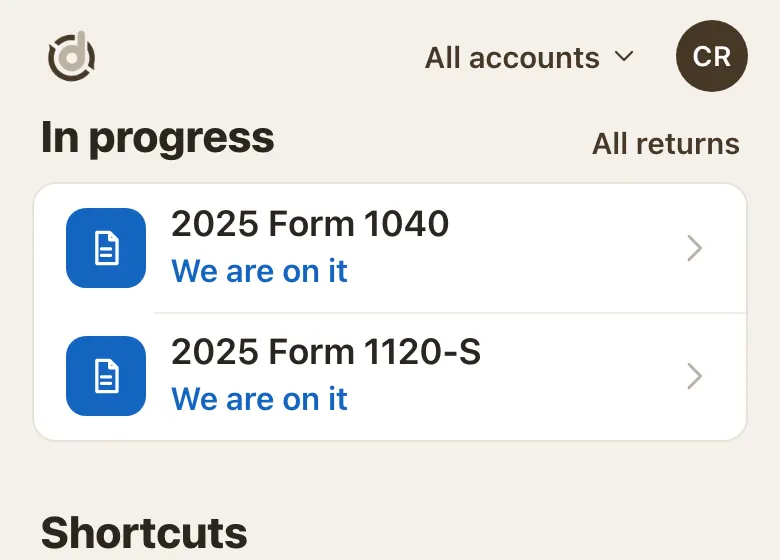
In progress on Home. Step 2: Open the Tax returns list
Tap Returns on Home, or All returns next to In progress.
Pick a year at the top. A red dot means there is something for you to do on that return.
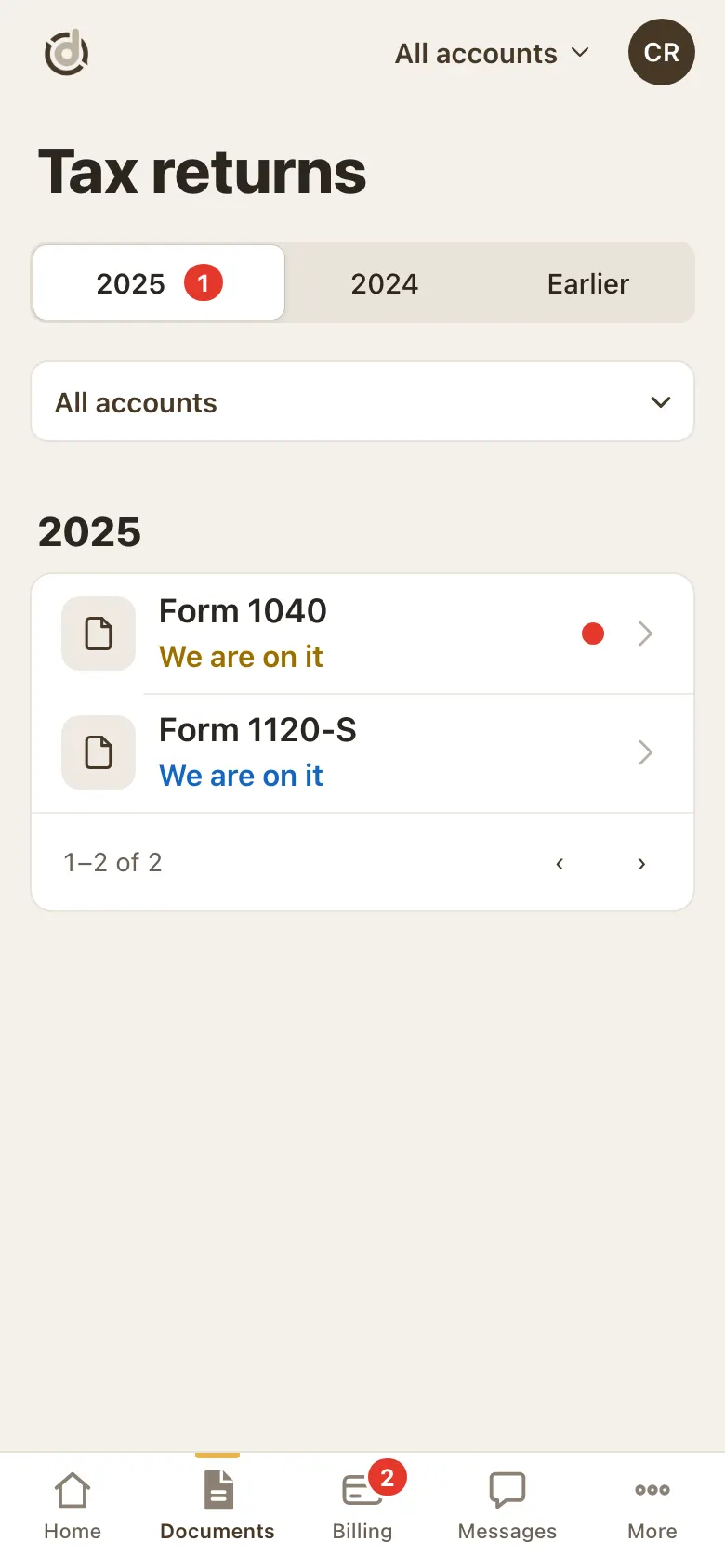
Tax returns, by year. Step 3: Open a return
The page shows the return's status. Many returns show a progress bar with six steps: getting started, documents, review, appointment, filed and completed. Its color shows whether it is our turn or yours.
Once it is filed, your return and the e-file confirmation are on this page to download.
Good to know
- If a step needs you, like documents, the return also shows under Needs you on Home.
- With more than one account, pick All accounts at the top to see every return.
Screens show a sample account with made-up details.