
The new client portal is here
What is new in the portal, and how to get in.
Step 1: Open the portal and sign in
Go to portal.dedicatedcpa.com on your phone or computer.
Sign in with the email we have on file for you and your password. If you used our portal before, your email and password stay the same.
Forgot your password? See "Sign in and reset your password".
Step 2: First time in? Set up your portal
If you have not picked a language yet, a "Set up your portal" window opens after you sign in.
Pick English, עברית (Hebrew) or Español (Spanish). Under How we reach you, check the email and phone we have for you. Tap Edit if something is wrong.
Tap Done. The × closes it for now, and it opens again the next time you sign in until you tap Done.
On a phone, the "Get the app" window comes first. Close it (or add the app) and the setup window opens after it.
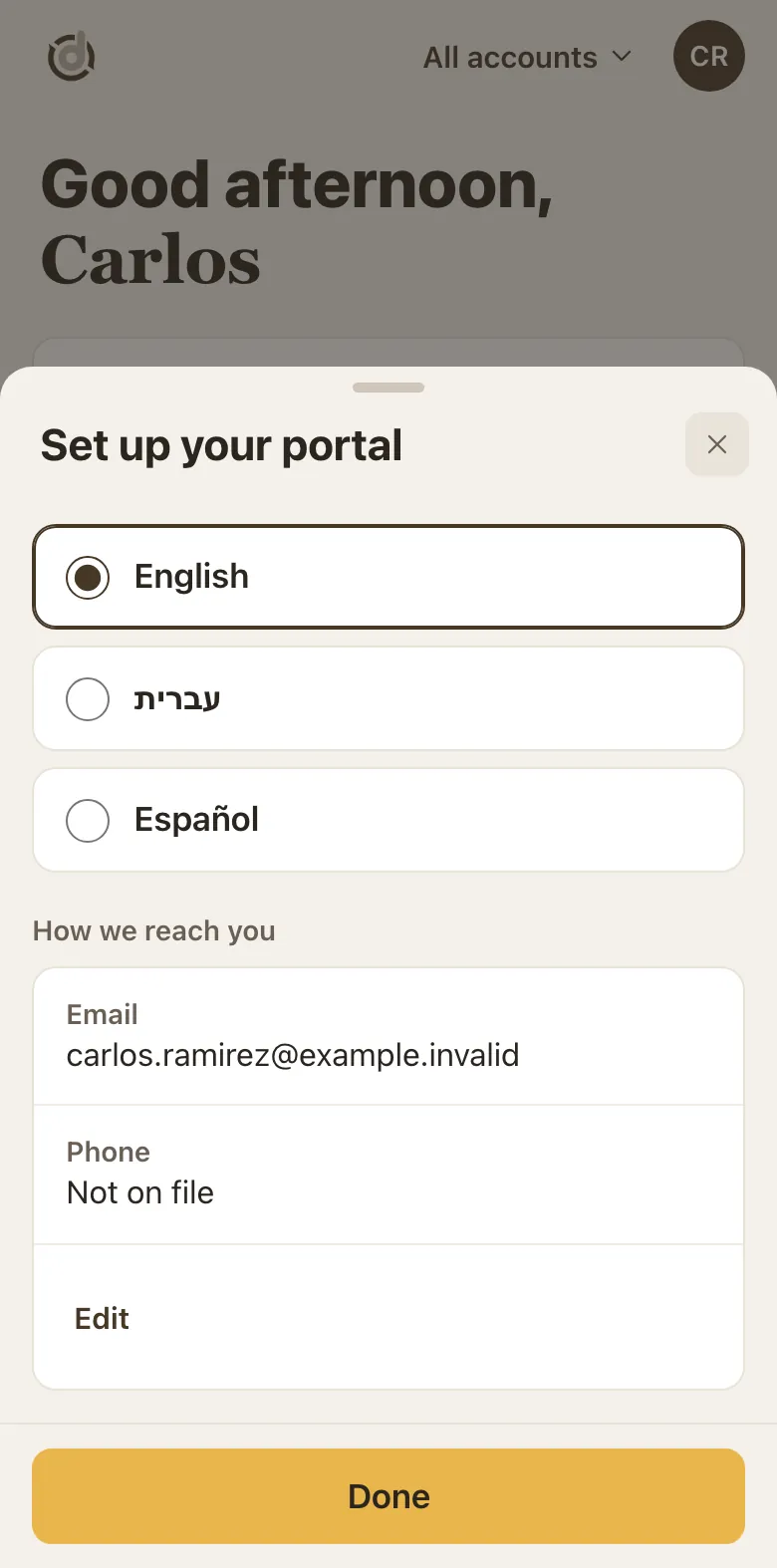
Set up your portal: pick a language, check your email and phone, tap Done. Step 3: Start on Home: it shows what needs you
Home opens with the most important thing first, for example an invoice that is due, with a gold Pay button.
Needs you lists each thing waiting on you. In progress shows the tax returns and services we are working on.
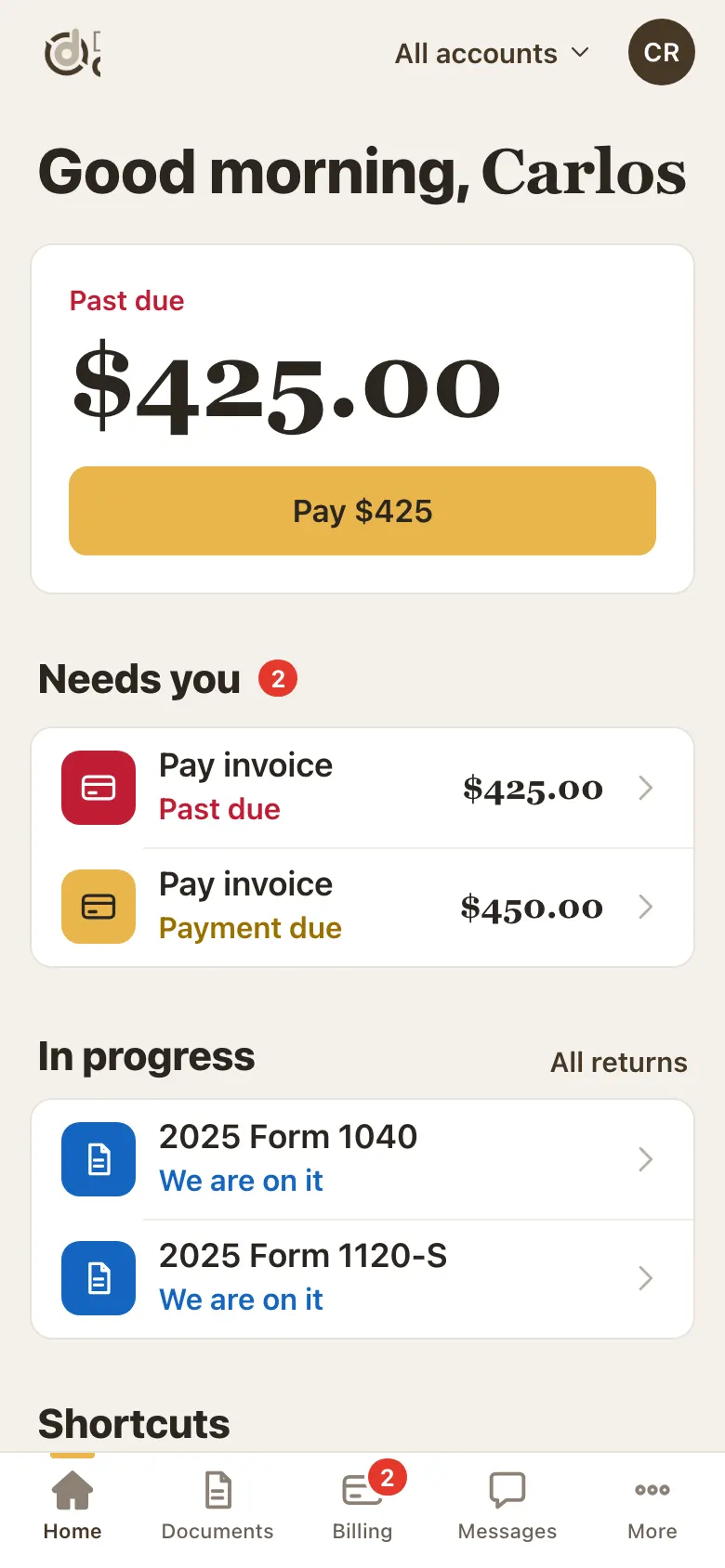
Home on a phone: what is due, Needs you, and In progress. Step 4: Use the tabs to move around
On a phone the tabs sit along the bottom: Home, Documents, Billing, Messages and More.
On a computer the same tabs run down the left side.
A red number on a tab counts things you still need to do. It goes away when they are done.
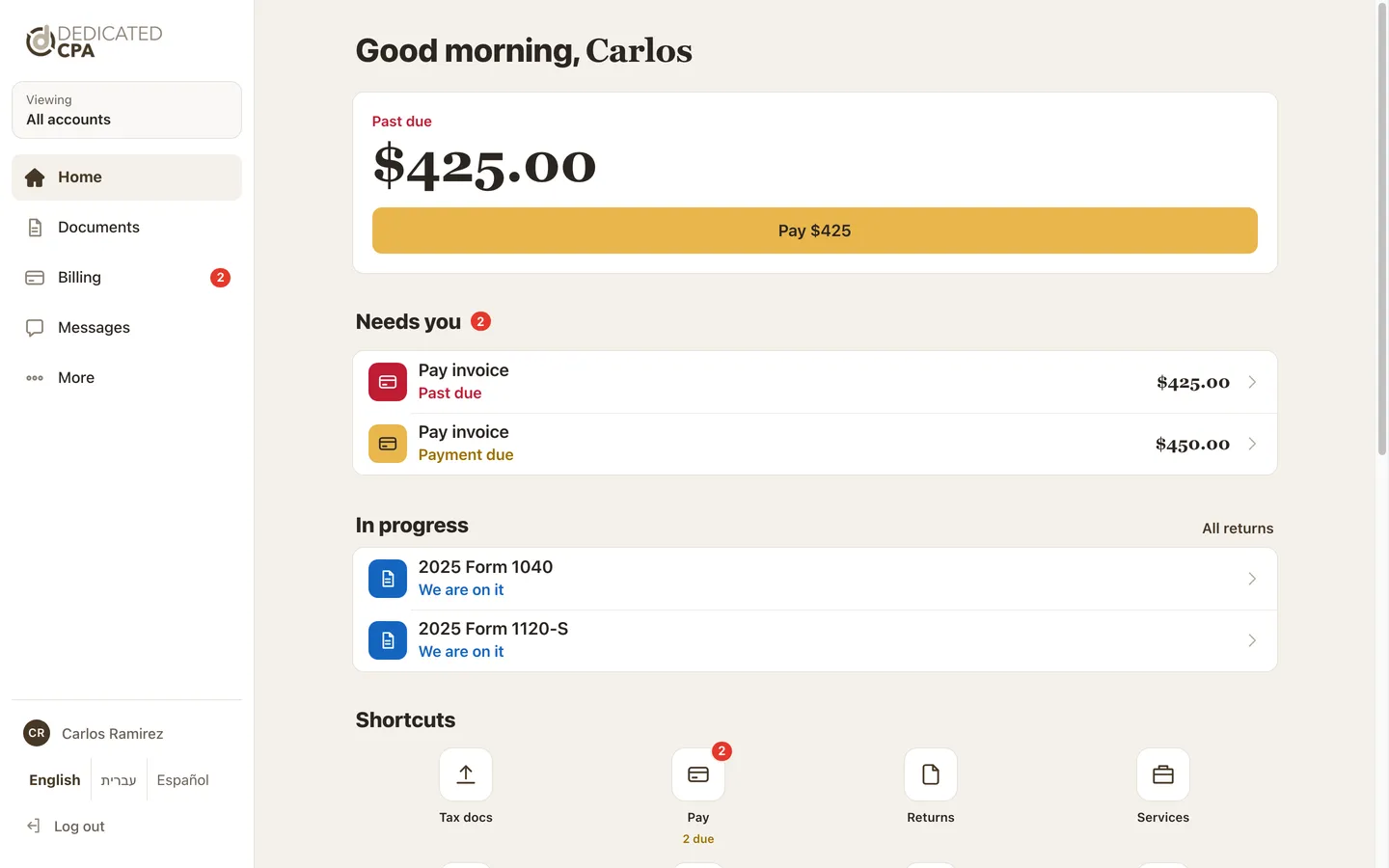
On a computer the tabs are in the menu on the left. Step 5: Find everything else under More
More holds your Profile, Address, Personal documents, One-time services, Business filings, Agreements, Your team, Announcements, Help and Contact us.
The language links and Log out are at the bottom of More.
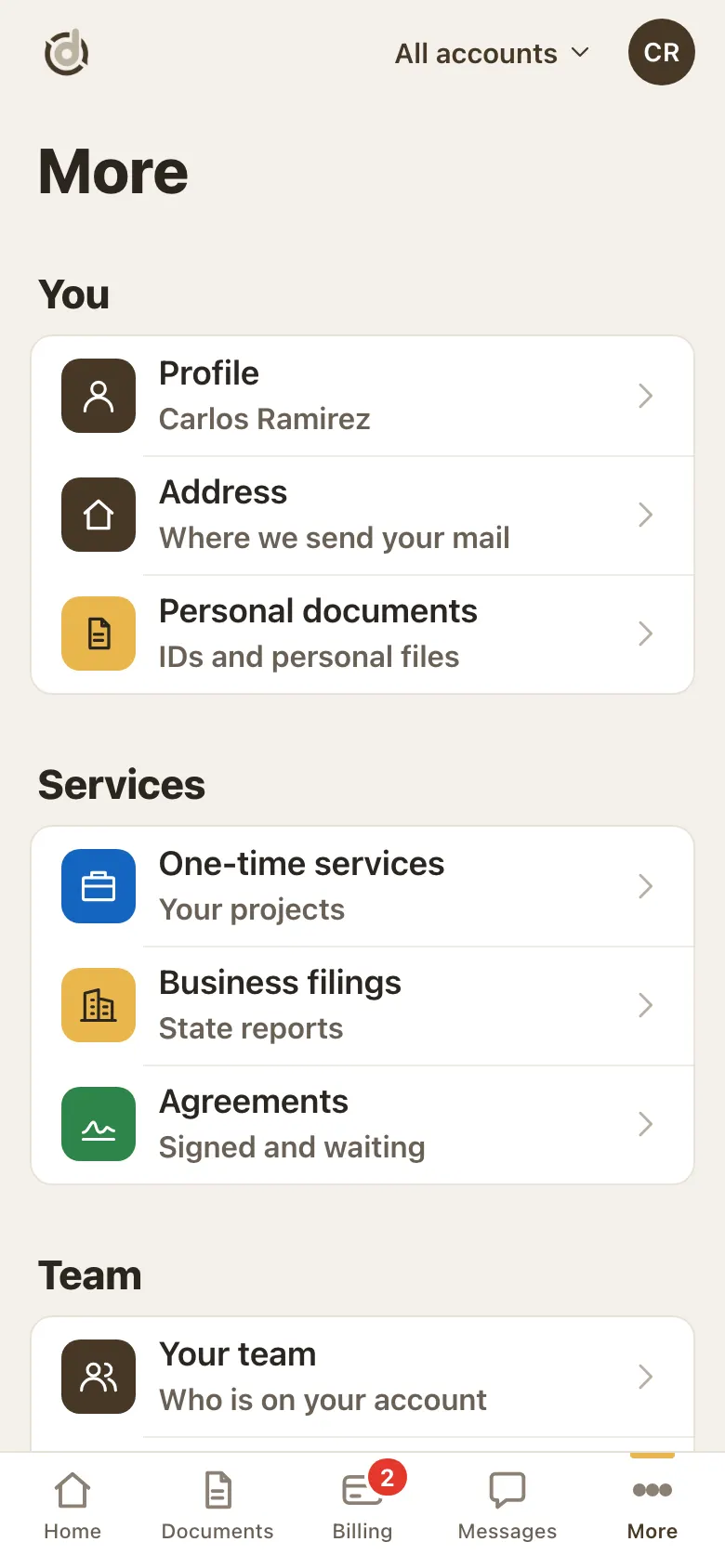
More: your profile, services, agreements and team.
Good to know
- Billing is where you pay invoices, see payments and manage your cards.
- Documents shows the tax documents we still need from you.
- Messages is where you send us a request and follow our answers (see "Send us a message and follow your requests").
- Household clients are asked once a year to confirm their home address (see "Your profile and address").
- The portal works in English, Hebrew and Spanish.
Screens show a sample account with made-up details.